
Documentation Imports and metadata
Lyrics
Find lyrics for your songs, read them in the player, and time each word against the audio for word-by-word highlighting.
Rainy looks up lyrics in LRCLIB, a free community database, and keeps what it finds so the lyrics panel opens instantly next time.
Synced, plain and word-timed lyrics
- Synced lyrics have a start time for every line. The player highlights the line being sung. Song Settings shows a Synced label for these.
- Plain text lyrics are just the words. The player shows them as text with no highlighting, and Song Settings shows a Plain text label.
- Word-timed lyrics add a start and end time for every word. Rainy can only create them from synced lyrics.
The Lyrics Effect setting in Settings → Player chooses how the active line is shown:
| Option | What it does |
|---|---|
| Solid | The whole line lights up at once. |
| Word by word | Each word lights up as it is sung. This is the default. |
| Slide | A smooth fill sweeps across the line. |
Until a song has exact word timings, Rainy estimates them. Your browser works out the song's loudness pattern and uses it to guess when each word falls within its line. When the server finishes timing the song, the exact times replace the estimate while the song plays.
Open lyrics while you listen
- Open the full-screen player.
- Click the Lyrics tab.
If the song has no lyrics yet, the panel says "Lyrics haven't been fetched yet" and offers a Fetch lyrics button.
Manage lyrics for one song
- Open the song's menu, hover over Song Tools and click Song Settings.
- Open the Lyrics tab.
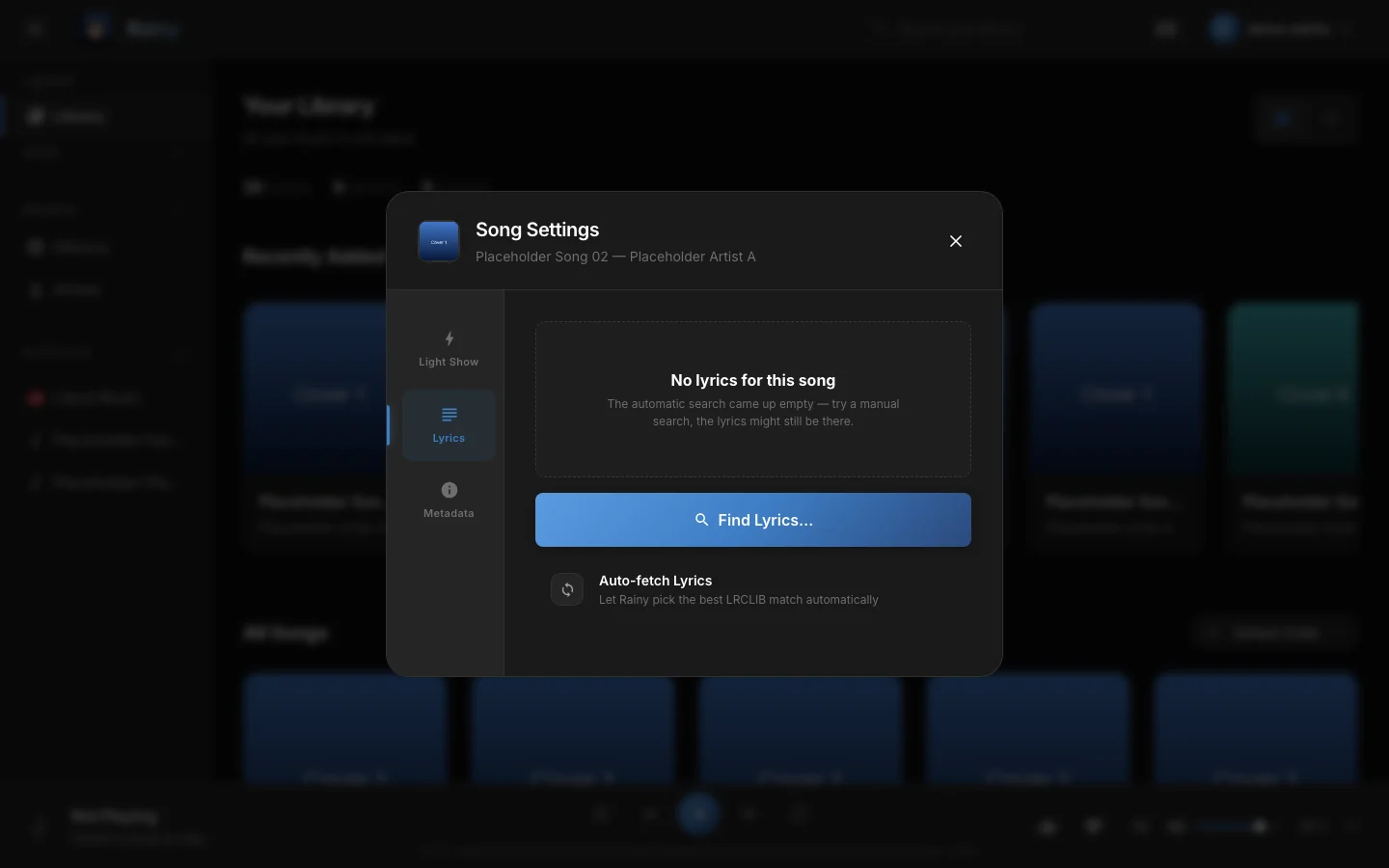
The Lyrics tab. It shows the lyrics Rainy has for the song and the options below them.
The tab offers these actions:
| Action | What it does |
|---|---|
| Auto-fetch Lyrics | Looks up LRCLIB and keeps the best match on its own. |
| Find Lyrics… | Opens a search you control. Use it when the automatic match is wrong. |
| Re-time Words | Shows only for synced lyrics. Redoes the word timing. The new timing is used the next time the song loads. |
| Remove Lyrics | Deletes the lyrics and their word timing so they can be looked up again. |
Auto-fetch and Find Lyrics reach LRCLIB, so they need an internet connection. If LRCLIB has nothing for a song, the tab says "No lyrics for this song". Try Find Lyrics… with another spelling of the title or artist.
Search for the right version
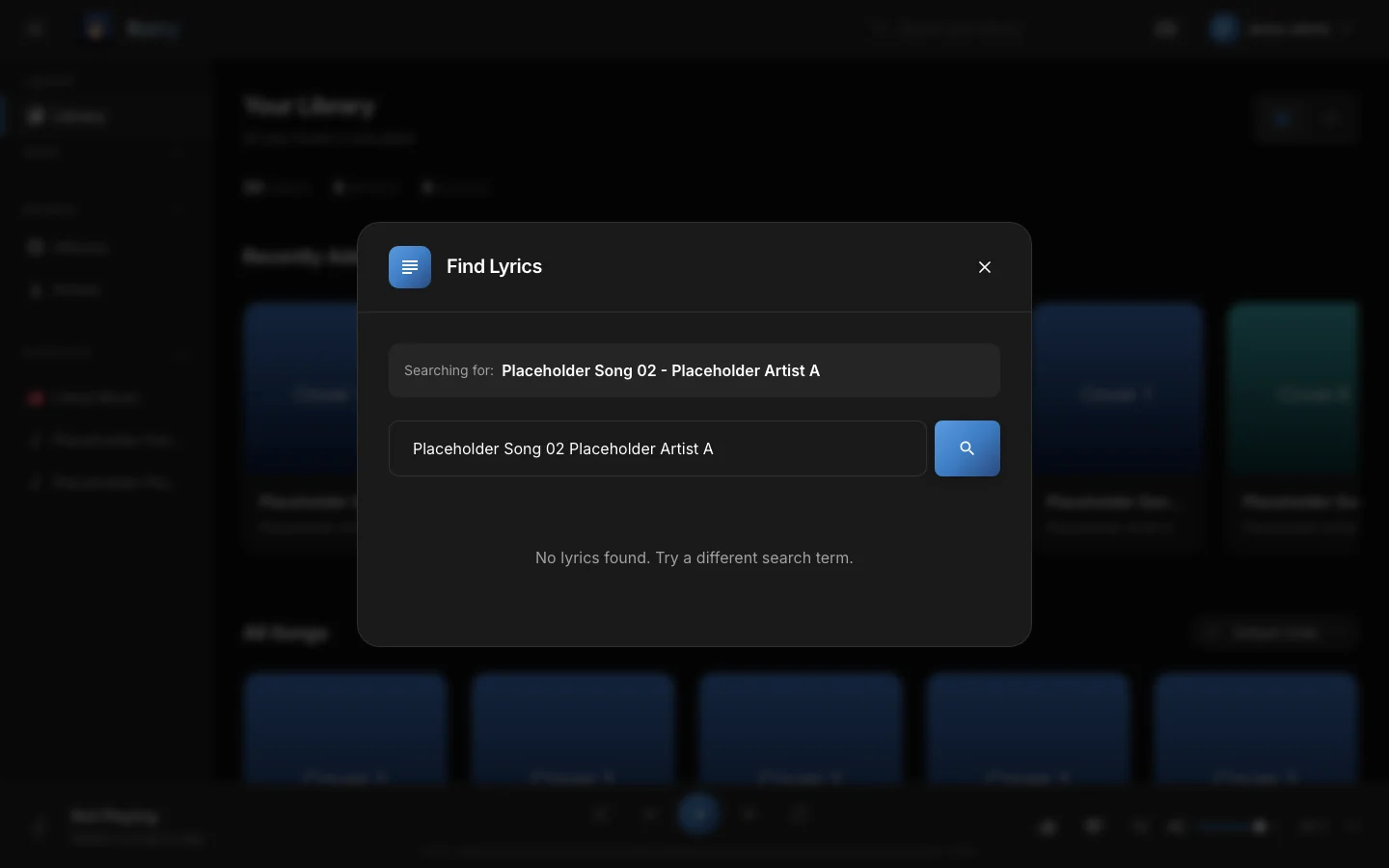
Find Lyrics. Each result shows whether it is synced or plain, and its first lines.
- Click Find Lyrics…. Rainy searches with the song's title and artist.
- Change the search text and press Enter or the search button.
- Read the first lines of each result and check the Synced or Plain label.
- Click Use on the version you want.
Lyrics belong to the song, not to your account. When you replace or remove them, every account that plays the song sees the change.
How word timing works
Word timing uses Whisper, a speech-recognition model, through the stable-ts library. Rainy gives Whisper the known lyric text and asks only where each word falls in the audio. Rainy checks each line against its LRC time and re-aligns any line that lands in an implausible place.
Rainy starts word timing on its own:
- right after you save synced lyrics, from a search or from Auto-fetch, and
- when you open a song with synced lyrics that has no word timing yet. The song is queued, and the player estimates the timing until the exact times arrive.
Two settings control it. Set them in your .env file and restart Rainy.
| Setting | Default | What it does |
|---|---|---|
RAINY_WHISPER_MODEL |
base |
Which Whisper model to use. Larger models are slower and can be more accurate. |
RAINY_LYRICS_LANG |
Detected from the audio | A language code such as en, used for every song instead of detection. |
The model downloads the first time it is used, so the first timing job needs an internet connection. Rainy uses an NVIDIA GPU automatically when one is usable, and the CPU otherwise.
Set RAINY_LYRICS_LANG only if your library is all in one language. For a mixed library, leave it unset so Rainy detects the language of each song.
Lyrics for the whole library
To look up and time lyrics for many songs at once, go to Settings → Jobs and find the Analyse Lyrics card:
- Click Run. Rainy looks up songs it has never searched, and times the songs with synced lyrics that have no word timing.
- Read the songs ready count under the card to see how far the library has got.
Administrators also see Force. It re-times every song that has synced lyrics, which takes a long time on a large library.
New songs are handled automatically: each new import or scanned song is queued for a lyrics lookup and timing.
After you change the Whisper settings, existing songs keep their old timing. Use Force on the Analyse Lyrics card, or Re-time Words on one song, to apply the new model.