
Documentation Imports and metadata
Find metadata and covers
Correct a song's title, artist, album and cover from YouTube Music, and fill in audio features, tags and similar artists from free databases.
Imported and scanned songs carry whatever tags their files already had, which is often incomplete or wrong. Rainy gives you two tools to improve them. Find Metadata looks up a song on YouTube Music and copies the details you choose into your library. Analyse Song measures the audio itself and looks up tags and related artists in free databases.
Find metadata for a song
Find Metadata is available to administrators. Other accounts do not see the option.
- Open the menu of a song in your library.
- Hover over Song Tools, then click Find Metadata.
- Rainy searches YouTube Music for "title artist" straight away. Change the search text if the results are not right, then press the search button.
- Click Apply on the result you want.
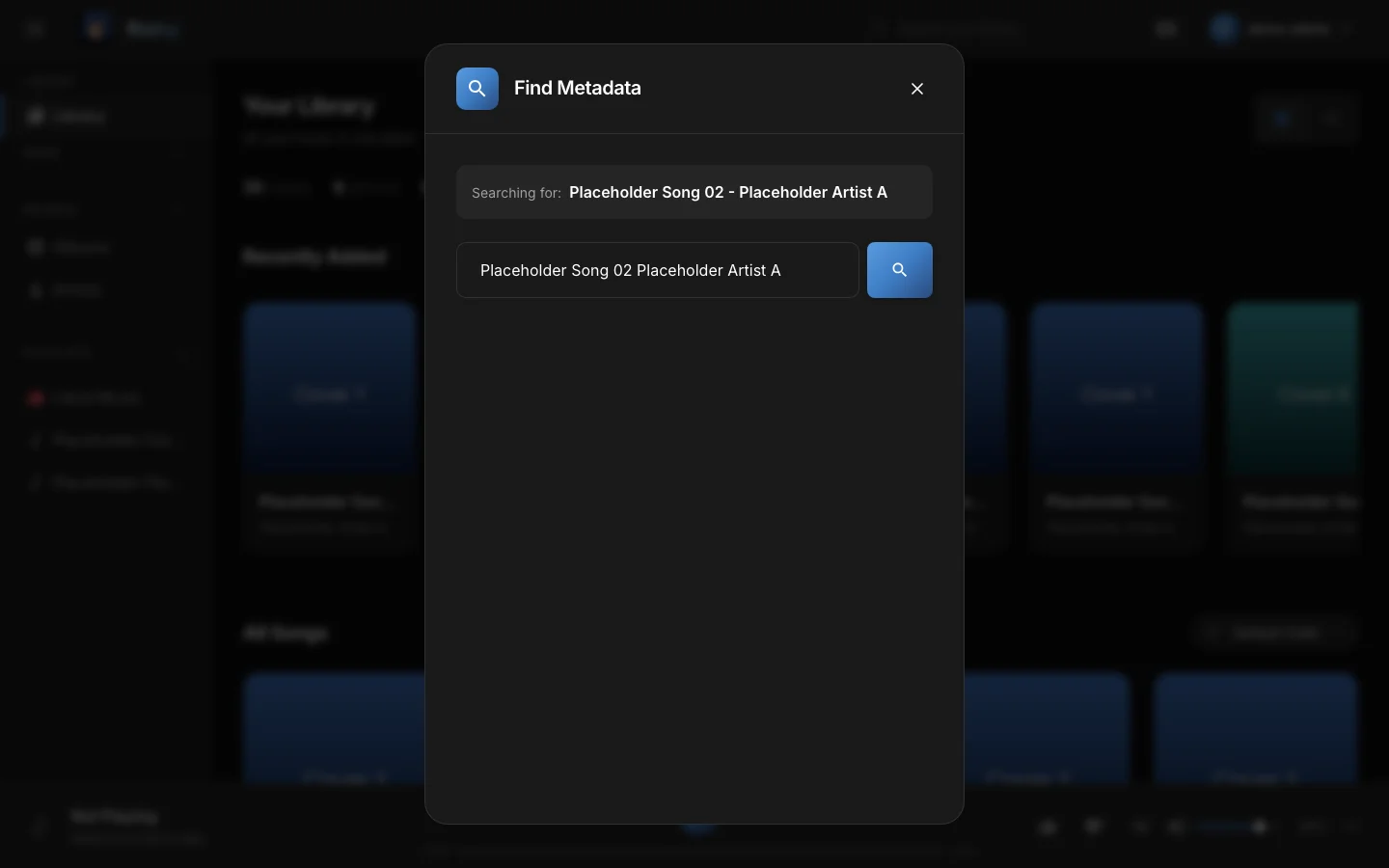
Find Metadata. Results show the cover, title, artist, album and length.
When you apply a result, Rainy updates the title, artist and album, the year when the result has one, and the cover. The artist field has duplicate names removed, so "A, A" becomes "A".
A song is stored once for the whole server. Changes you apply here are seen by every account that can play the song.
Covers
The cover is downloaded into the covers folder inside your music folder. Its file name is a hash of the song's file path, so each song has its own file. Rainy asks YouTube Music for a larger image when one is available. The new cover replaces the old one in the library straight away.
What Find Metadata does not change
Genre is not filled in from the search results, so Find Metadata cannot set it. Genre labels come from the analysis below, or from the file's own tags.
Analyse a song
Analysis measures the audio of one song and collects information about it. To start it:
- Open the song's menu, hover over Song Tools and click Song Settings.
- Open the Metadata tab.
- Click Analyse Song. Once a song has been analysed, the button reads Re-analyse Song.
The tab then shows:
- Audio profile: tempo, key and mode, loudness, danceability, energy and the timbre of the sound.
- Tags and genre: labels from the on-device classifier, Last.fm and MusicBrainz.
- Similar to…: artists that Last.fm lists as close to the song's artist.
- MusicBrainz ID: the recording's ID in the MusicBrainz database.
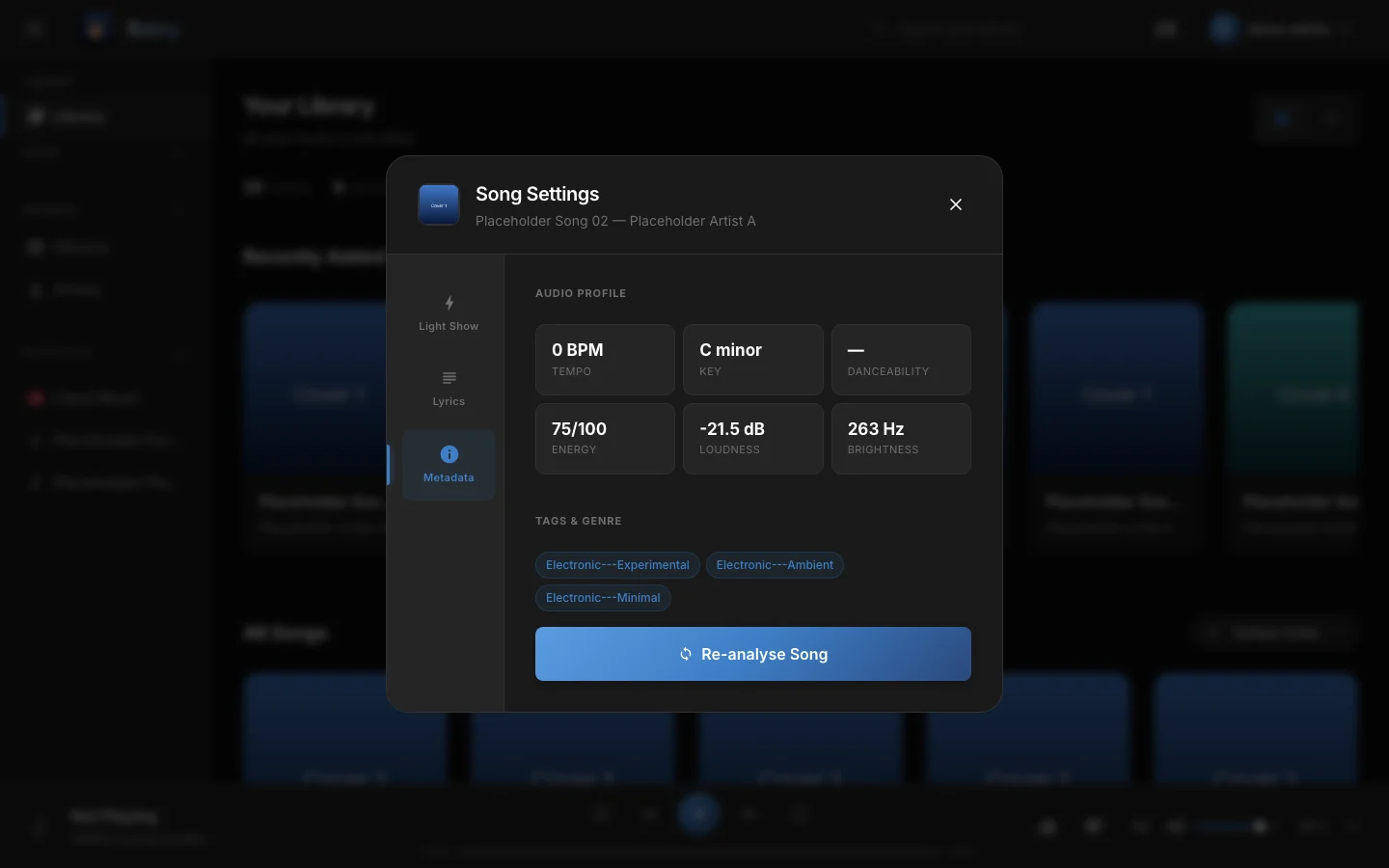
The Metadata tab. It lists the same sections once the analysis has run.
Each part of the analysis needs something different from you:
| Part | What it needs | What you configure |
|---|---|---|
| Audio profile | Nothing. It is computed on your server from the audio file. | Nothing. |
| Genre labels | The classifier model, about 18 MB, downloaded once on first use from the essentia.upf.edu site. | Internet access on the first run. |
| Last.fm tags, similar artists and bios | A free Last.fm API key. | Set LASTFM_API_KEY in your .env file and restart Rainy. Without a key this step is skipped. |
| MusicBrainz ID and tags | Internet access. No key. | Nothing. Rainy spaces its MusicBrainz requests about 1.5 seconds apart, so a big backfill is slow. |
| Find Metadata search | Internet access to YouTube Music. No key. | Nothing. |
Get a free Last.fm key at last.fm/api/account/create. It takes about thirty seconds.
Genre labels
The classifier listens to the song and gives it Discogs style labels, such as "Rock" or "Electronic". The top label becomes the song's genre only when the current genre looks like a placeholder, such as "Music" from a poorly tagged file. A real genre tag is kept.
Analyse many songs
Analysis also runs in the background. Every new song that Rainy scans or imports is queued for it automatically. To analyse songs that are still missing data, go to Settings → Jobs and find the Analyse Song Metadata card:
- Click Run. Rainy analyses only the songs that have not been analysed yet.
- Watch the progress in the list below the card, or see Import queue for how the queue works.
Administrators also see a Force button. It re-analyses the whole library from the beginning, which takes a long time on a large library.
Analysis is not Find Metadata. Running analysis does not change titles, artists or covers.