
Documentation Playlists and discovery
Smart Mix
Listen to ready-made mixes built from what you play, what you like and how your songs sound.
Smart Mix builds a set of playlists, called mixes, from your own listening. Each mix holds up to 30 songs. Rainy arranges the songs so that neighbouring tracks sound alike, so a mix flows rather than jumping between styles.
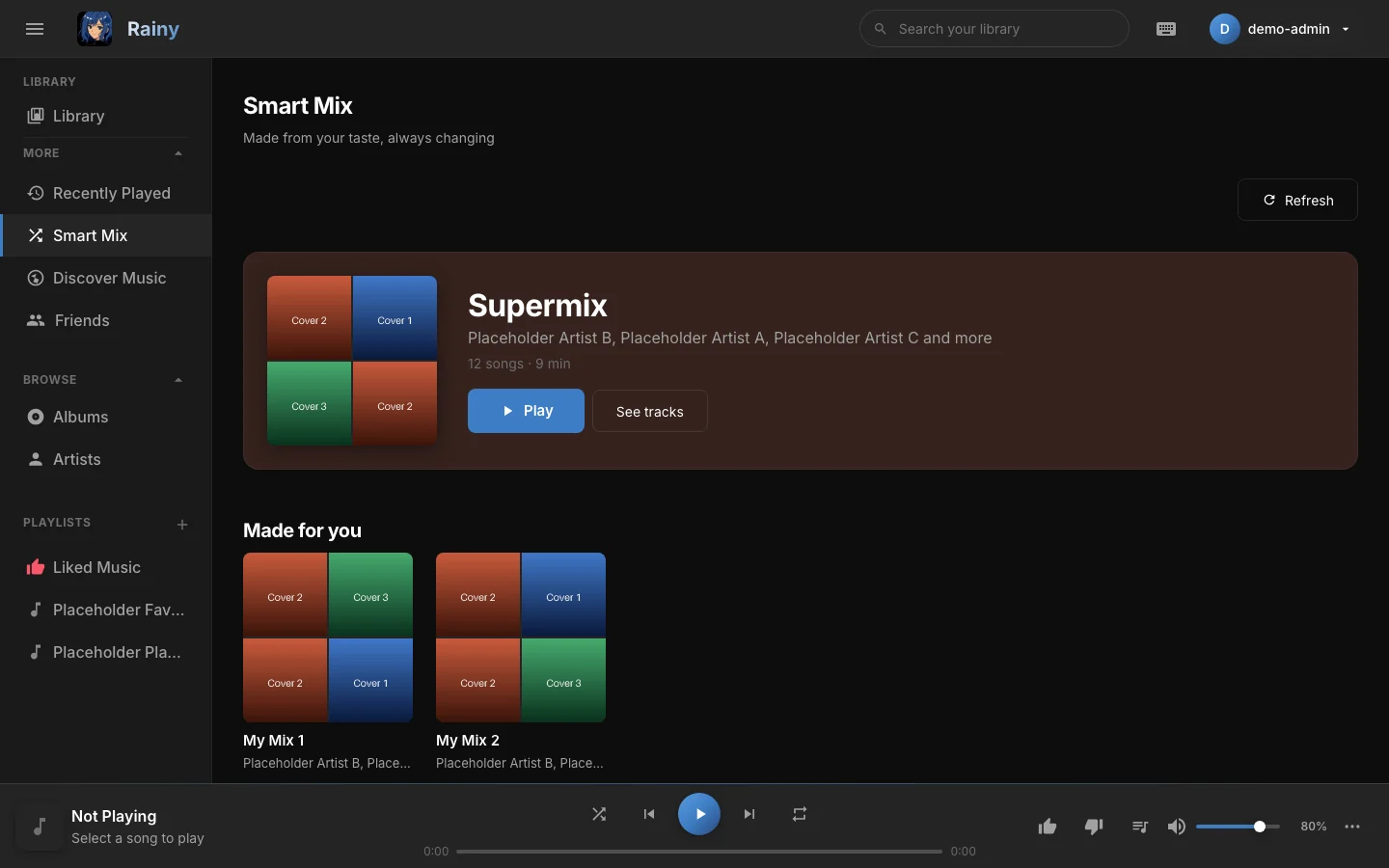
The Smart Mix page: mood pills at the top, the Supermix as the large card, and shelves of mixes below.
Open Smart Mix
In the sidebar, open More and choose Smart Mix.
The shelves
| Shelf | Mixes |
|---|---|
| Supermix (large card) | A blend of your taste across the whole library. |
| Made for you | My Mix 1 to My Mix 5, each grouping songs of a similar sound. |
| From your listening | Discover Mix, Replay Mix, a time-of-day mix (Morning, Afternoon, Evening or Late Night), Rediscover Mix, New Arrivals and Liked Mix. |
| Artists | A mix for each of your most-played artists, named " |
| Mood pills | Energize, Chill, Focus, Workout, Party and Wind Down. |
Mixes only appear when there are enough songs to build them. The table below shows what each one needs.
| Mix | What it needs |
|---|---|
| Supermix | Any songs. With no listening history, it mixes the whole library. |
| My Mix | At least 12 songs you have played or liked, with audio analysis. |
| Discover Mix | Some listening history and enough songs you have not played yet. |
| Replay Mix | At least 10 songs played in the last 60 days. |
| Time-of-day mix | Songs played around the current time of day. |
| Rediscover Mix | Songs you played often or liked, but have not heard for 60 days. |
| New Arrivals | At least five songs added to the library in the last 30 days. |
| Liked Mix | At least one liked song. |
| Artist mixes | Artists you have played, each with at least two songs in the library. |
| Mood pills | At least 25 songs with audio analysis. |
Rainy analyses each song's audio in the background. The more songs that have been analysed, the better My Mix and the mood pills work.
Play a mix
- Click Play on a mix card or on the mix's page to start it.
- Click See tracks to open the mix and see its songs.
- In a mix's page, click Shuffle to play its songs in a random order.
- Click a song in the list to start the mix from that song.
Mixes play endlessly. As the queue nears its end, Rainy adds songs that sound like what is playing, so the mix keeps going.
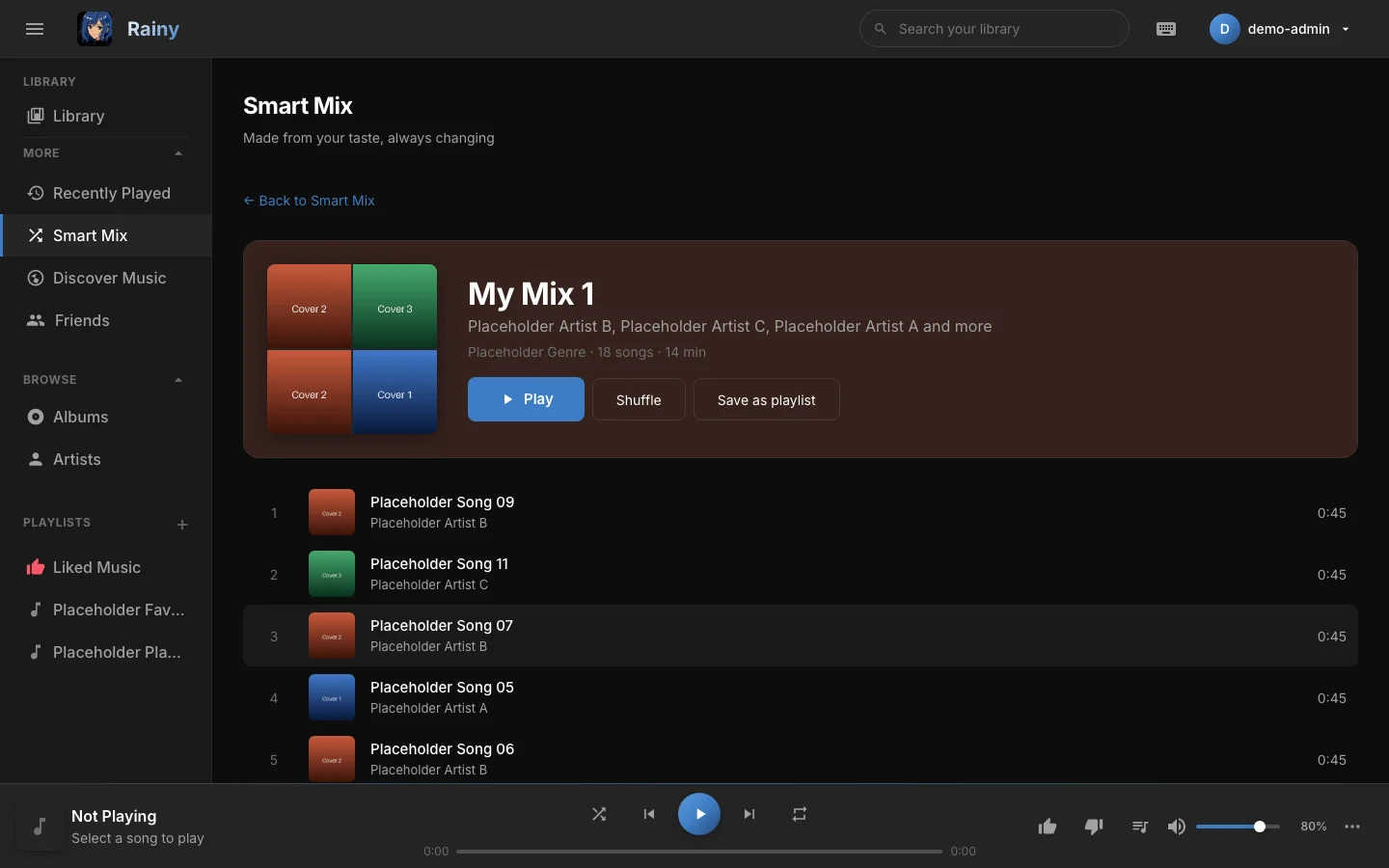
A mix's page lists its songs. Play, Shuffle and Save as playlist sit above the list.
Refresh the mixes
Click Refresh to pick a new set of songs for every mix. Smart Mix keeps the same songs for five minutes. After that, it rebuilds them when you open the page.
Save a mix as a playlist
On a mix's page, click Save as playlist. Rainy creates a playlist in your account with the mix's songs. The playlist takes the mix's name. Supermix, My Mix and mood mixes get today's date added to the name, so you can save them again later and tell the copies apart.
Saved playlists work like any other playlist. See Playlists.
Mixes only use songs you can play. Disliked songs never appear in a mix, and liked songs are weighted higher. See Likes and dislikes.
Tips
Play a few songs and like the ones you enjoy. Mixes are built from what you play, so a new library needs some listening before Discover Mix and Replay Mix appear.