
Documentation Playback
Player
The player bar controls playback, and its More menu holds the advanced tools: sleep timer, A-B repeat, speed, equalizer and crossfade.
The player sits at the bottom of every page and keeps playing while you browse. Everyday controls are on the bar itself, and less common tools sit behind the More button.
The player bar
- Click any song in your library to start it. The list you are looking at becomes the queue, so Next moves through it in order.
- Use the controls on the bar to play, pause, skip and change the volume.
- Click the progress bar to jump to a point in the song.
- Click the song title or artwork to open the full-screen player, which also shows Up Next, the queue, and the light show button.
| Control | What it does |
|---|---|
| Play / pause | Starts or pauses the current song. |
| Previous | Restarts the song if it is more than 3 seconds in, otherwise goes to the previous song. |
| Next | Goes to the next song in the queue. |
| Shuffle | Turns shuffle on or off. See below. |
| Repeat | Cycles through Off, All and One. |
| Volume | Sets the volume for this browser. |
| More (three dots) | Opens the advanced tools. |
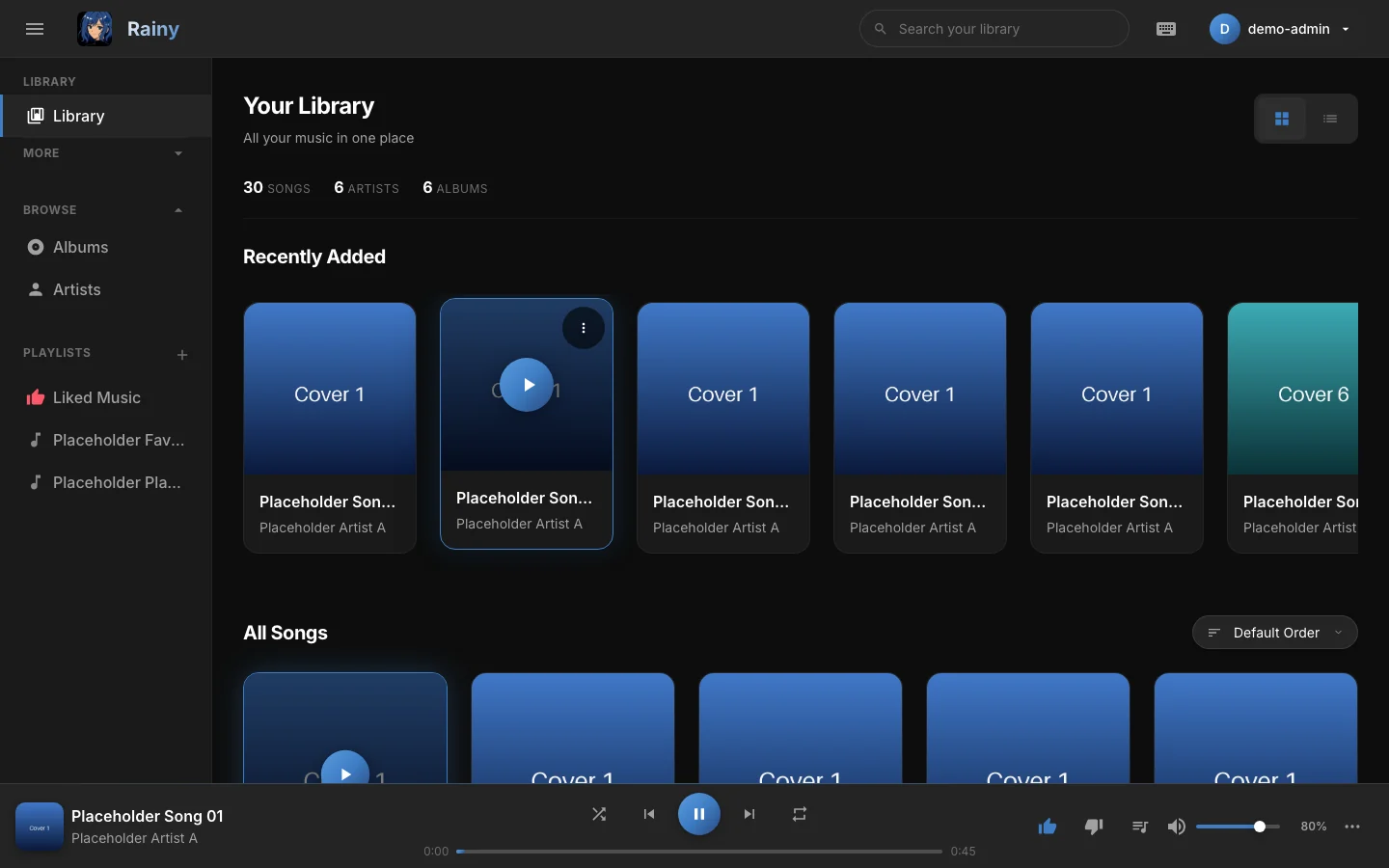
The player bar with a song playing.
Shuffle and repeat
Shuffle plays every song in the queue once before any song repeats. When every song has played, shuffle stops, unless Repeat is set to All, in which case it starts a new round. Picking a song yourself, or starting a different playlist, also starts a new round.
When Rainy has analysed the tempo of your songs, shuffle prefers songs with a similar BPM to the one playing. Songs without a tempo are still included.
Repeat has three modes:
- Off: the queue ends after the last song.
- All: the queue starts again from the top.
- One: the current song loops. Each loop is counted as a new listen in your history.
Advanced tools
Open More to show these tools. Active tools stay highlighted in the menu.
Sleep timer
Choose 5, 10, 15, 30, 45 or 60 minutes, or type your own number of minutes and press Set (or Enter). The volume fades out over the last 15 seconds, then playback pauses. While a timer runs, the menu shows a countdown and a Cancel button.
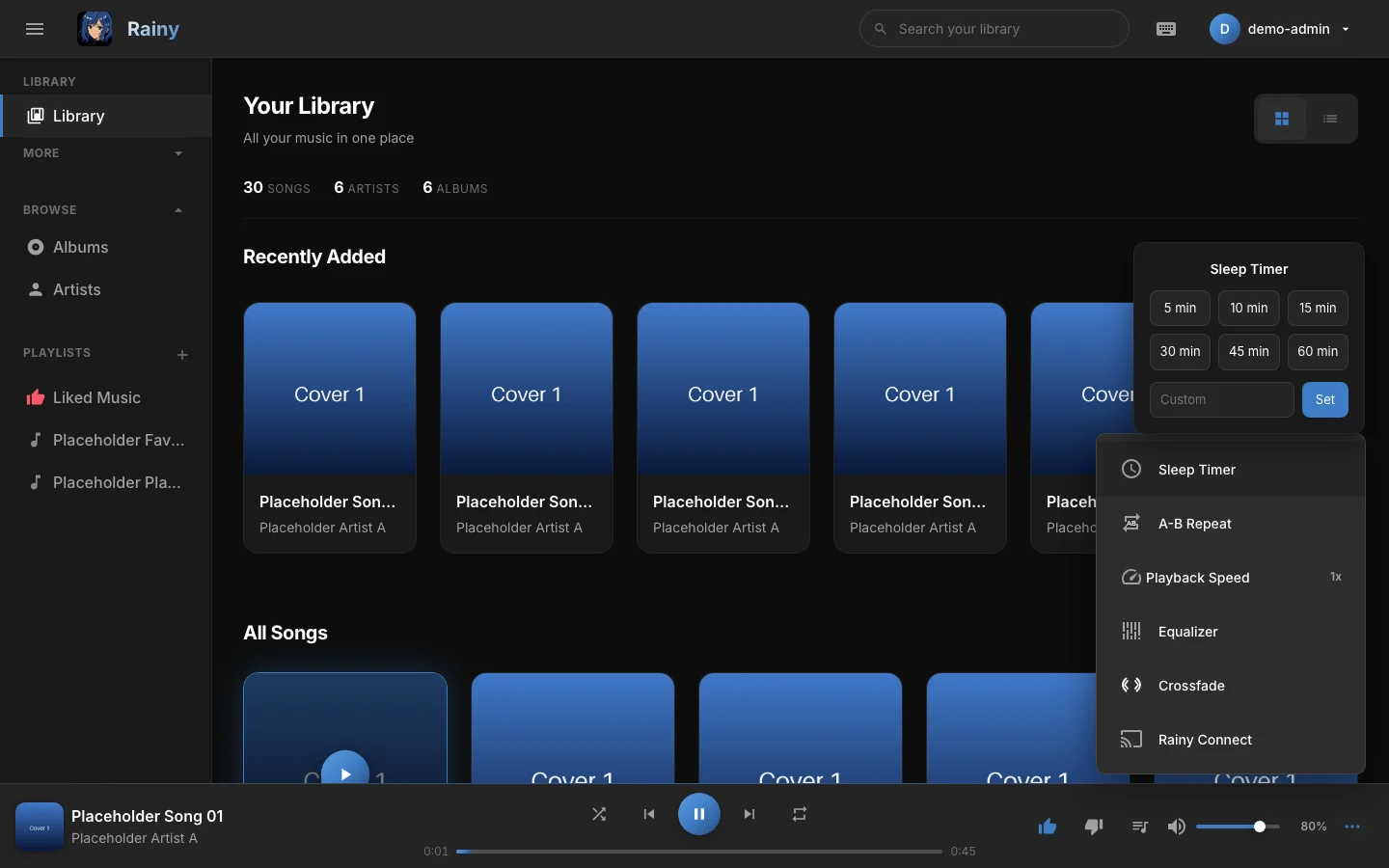
The sleep timer menu.
The sleep timer lives in the open page. Reloading the page cancels it.
A-B repeat
A-B repeat loops a section of a song, which is useful for practicing a solo or replaying a favourite passage.
- Press A-B Repeat once to set point A at the current position.
- Press it again to set point B. Rainy jumps back to A and loops until B.
- Press it a third time to clear the loop.
The loop clears when the next song starts.
Playback speed
Pick a preset from 0.5x to 2x, drag the Fine slider to any speed from 0.25x to 3x, or press Reset to 1x. Your speed is remembered in this browser.
Equalizer
The equalizer has ten bands, from 32 Hz to 16 kHz. Each band goes from -12 dB to +12 dB. Choose one of the presets (Flat, Bass Boost, Treble Boost, Vocal, Rock, Pop, Jazz, Electronic, Classical or Podcast), or move a band yourself. Moving a band clears the preset highlight. Reset to Flat sets every band back to zero.
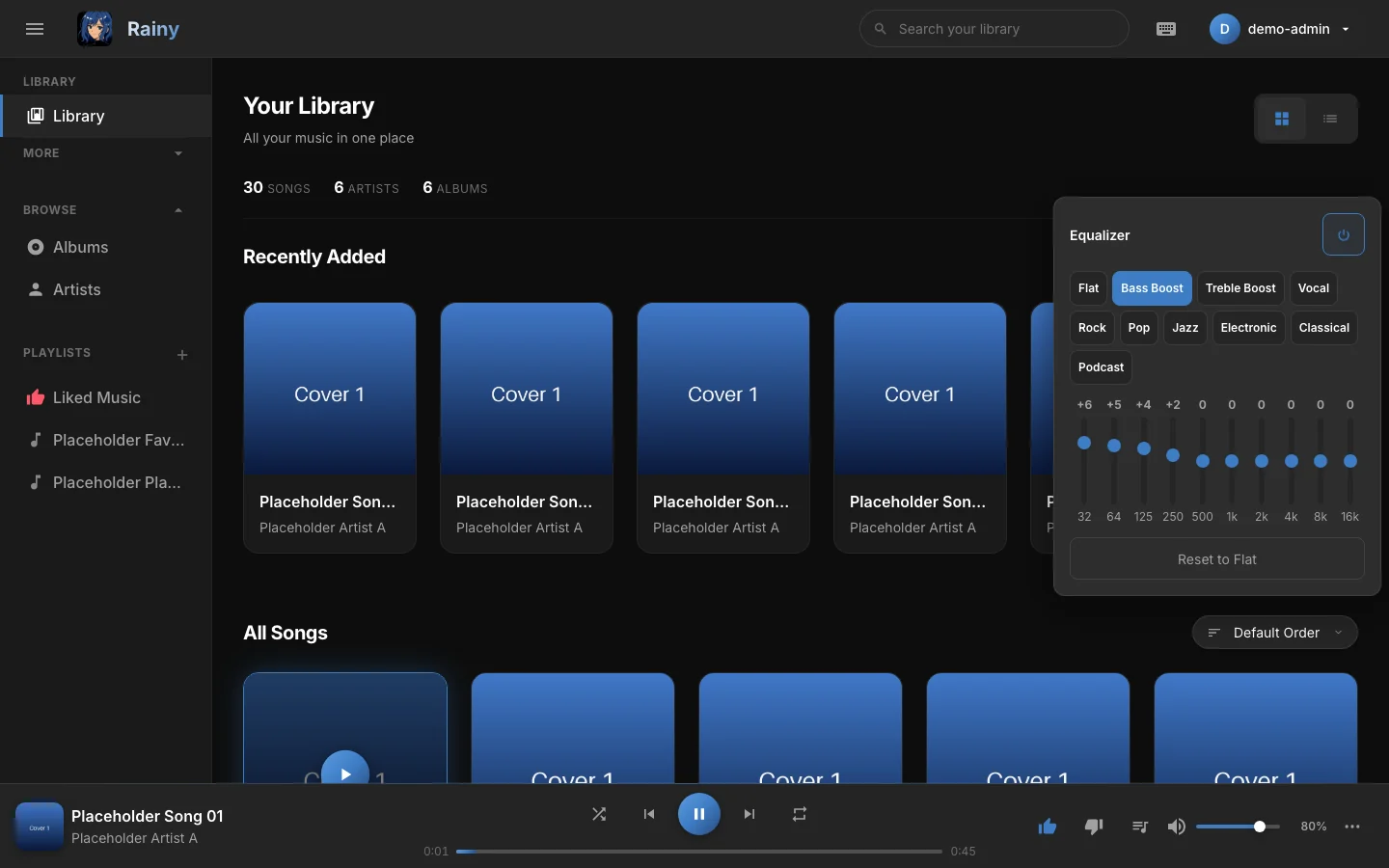
The equalizer with the Bass Boost preset.
The power button in the panel header turns the equalizer off without losing your bands. Turning it back on restores your curve, even after a reload. Opening the equalizer turns it on if it is off.
The equalizer shapes sound in the browser you are using, not on other devices.
Crossfade
Crossfade blends the end of one song into the start of the next, so there is no silence between tracks. Turn it on with the power button in the panel, then choose a length from 1 to 12 seconds. The presets are 2, 4, 6, 8 and 10 seconds.
Crossfade is skipped when Repeat is set to One, when a song is shorter than the crossfade length plus two seconds, and while you are seeking.
Streaming, downloads and the lock screen
Songs play from your Rainy server, and seeking works without downloading the whole file first.
To keep a copy of a song, open its menu, choose Song Tools, then Download Song. Rainy downloads the original file, and only people who can play a song can download it.
Where your browser supports the Media Session API, the lock screen shows the song title, artist and cover, and its controls work for play, pause, previous, next and seeking.
Full-screen player on a phone
On a phone, the full-screen player shows the artwork, progress bar and controls at full size.
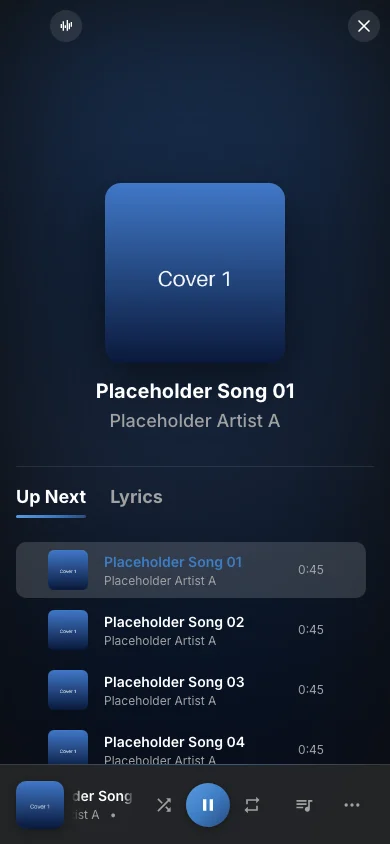
The full-screen player on a phone.
Resume and other devices
Rainy remembers the song, its position and the queue in your browser. When you come back, the last song loads paused at the same point. Playback is not handed over to your other devices; for that, use Rainy Connect.