
Documentation Playback
Keyboard shortcuts
Control playback, open search and find the full list of keys, without reaching for the mouse.
Rainy has a set of single-key shortcuts for playback, the player tools and search. They work anywhere on the page except while a text field has focus. When you are typing in a search field or a form, the letters go into the field instead.
The keys are fixed. You cannot change them in settings.
Open the shortcut sheet
The shortcut sheet lists every key on one screen.
- Press ?, or click the keyboard icon in the top bar.
- Read the list. Close the sheet with Esc, by clicking outside it, or by pressing ? again.
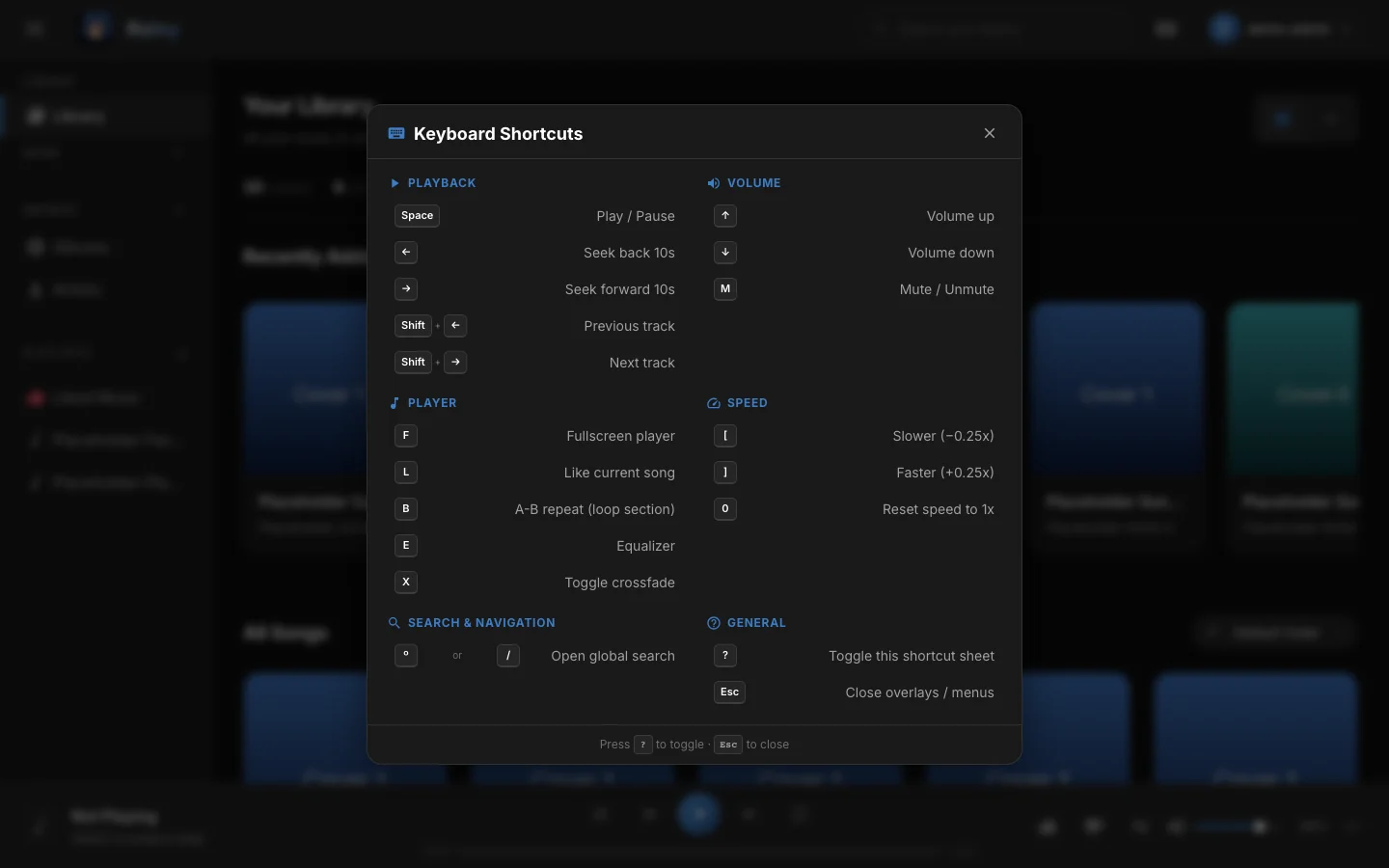
The keyboard shortcut sheet.
Playback
| Key | What it does |
|---|---|
| Space | Play or pause. |
| ← / → | Seek back or forward 10 seconds. |
| Shift + ← / → | Previous or next song. Previous restarts the song if it is more than 3 seconds in. |
| ↑ / ↓ | Turn the volume up or down in steps of 5%. |
| M | Mute or unmute. |
| F | Open or close the full-screen player. |
| L | Like the current song. |
Player tools
| Key | What it does |
|---|---|
| B | A-B repeat: the first press sets point A, the second sets point B, the third clears the loop. |
| E | Open the equalizer. |
| X | Turn crossfade on or off. |
| [ / ] | Play slower or faster, in steps of 0.25x. |
| 0 | Reset the playback speed to 1x. |
These tools are described in Player.
Search and help
| Key | What it does |
|---|---|
| º or / | Open global search. |
| ? | Show or hide the shortcut sheet. |
| Esc | Close the shortcut sheet, global search, or an open menu. |
The º key is the one to the left of 1 on a Spanish keyboard. On other layouts, use /.
Global search has its own keys once it is open:
| Key | What it does |
|---|---|
| Ctrl + 1 | Search your library. |
| Ctrl + 2 | Search YouTube Music (Discover). |
| Enter | In Library mode, play the first song result. In Discover mode, run the search. |
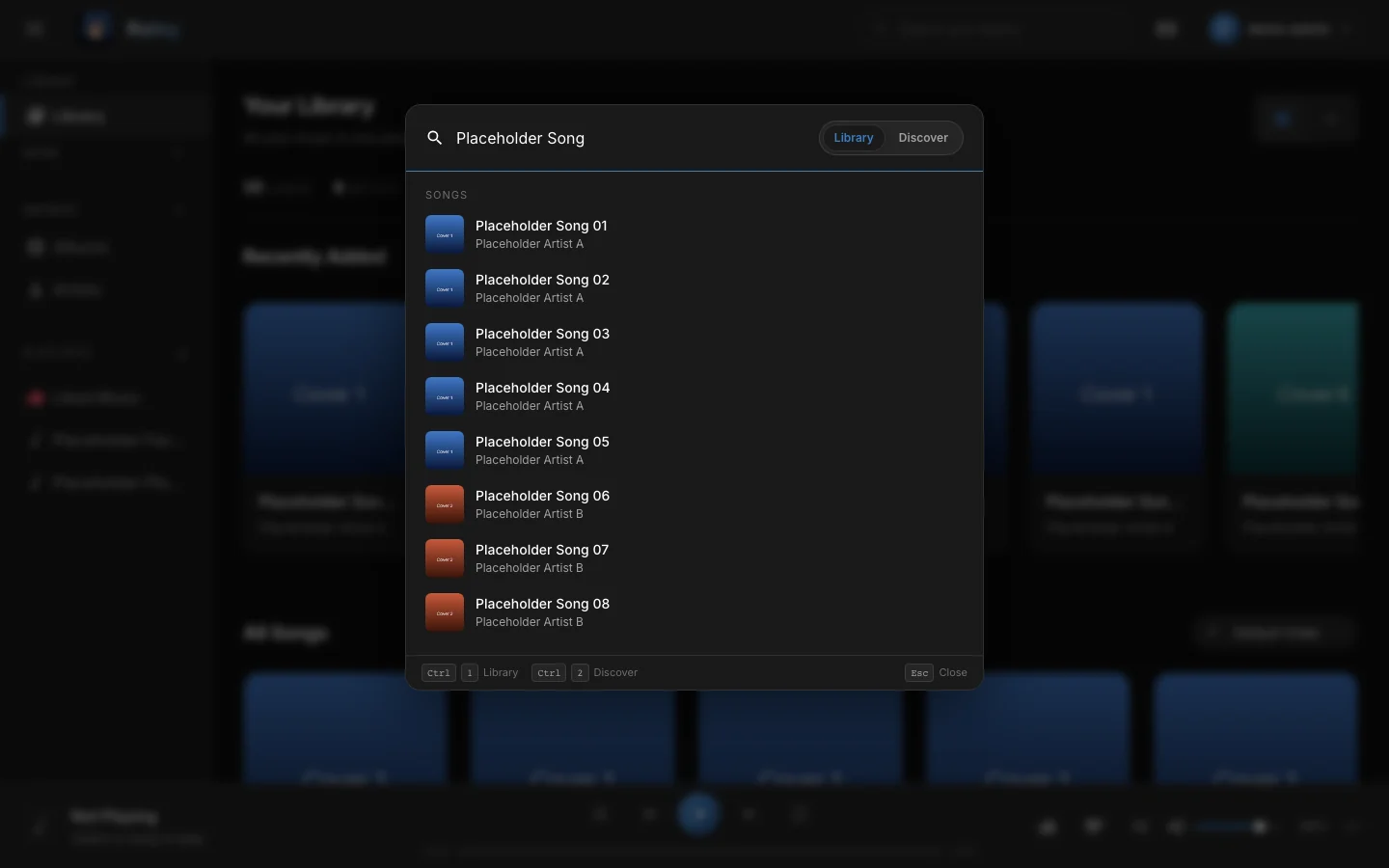
Global search, opened with the / key.
Each press of an arrow key moves the position or the volume by one step. Holding a key repeats the step.Tip: Global search covers the whole library, so you can jump to a song or artist from any page without going back to the library.
Note: Playback shortcuts are ignored while a text field has focus. Typing the letter m in a search box does not mute the player.
Note: Shortcuts are ignored while Cmd is held, or Ctrl without Alt, so browser and system shortcuts such as Cmd+F keep working. Alt on its own is not blocked, because on some keyboards Alt and AltGr type characters such as º and [.