
Documentation Playback
Listening history and stats
See what you played recently, which songs you play most, and how much you have listened.
Rainy keeps a history of your listening for each account. You can see it in the Recently Played view, which you open from the sidebar (under More) or at /recent. The view has three tabs: Recently Played, Most Played and Listening Stats.
What counts as a listen
Rainy counts listening time as the song plays. Seeks and pauses add no time. There are two points:
- 8 seconds of playback: the listen appears in Recently Played. On a very short song, this happens at the same point it counts as a play.
- 30 seconds of playback: the listen counts as a play. For a song shorter than a minute, the point is half the song's length, with a minimum of 5 seconds. A song with no known length uses 30 seconds.
Only plays feed Most Played, the stats, and the top artists and genres. Once a play has counted, Rainy updates it every 60 seconds of listening, and again when the song ends or you leave the page.
A few more rules apply:
- A song you stop before the first point above leaves no history entry.
- Each time a song loops with Repeat: One, that loop is a new listen.
- Time is counted in song seconds, so at 2x speed a play counts sooner in real time.
- Plays made while you are offline are kept in your browser and sent to your account when the connection returns.
A listen can be recorded without being a play. It shows in Recently Played but not in the stats, the top lists, or Smart Mix.
The three tabs
| Tab | What it shows |
|---|---|
| Recently Played | Up to 50 songs, newest first. Each song appears once, with how long ago you last played it. |
| Most Played | Up to 50 songs ranked by number of plays, with the play count on each row. |
| Listening Stats | Four totals, plus your top 10 artists and top 10 genres. |
Click a row in Recently Played or Most Played to start playing that list from that song.
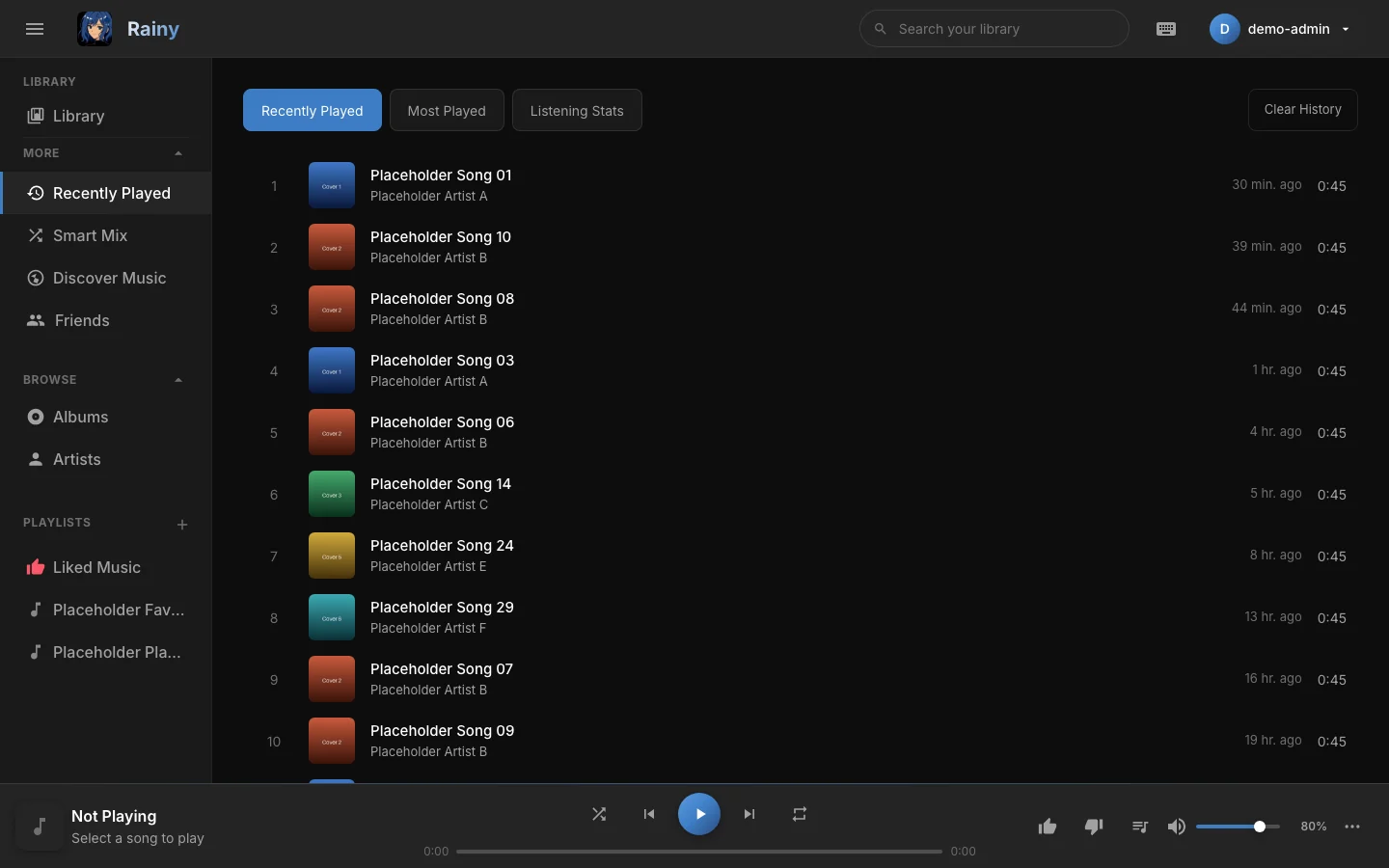
The Recently Played tab.
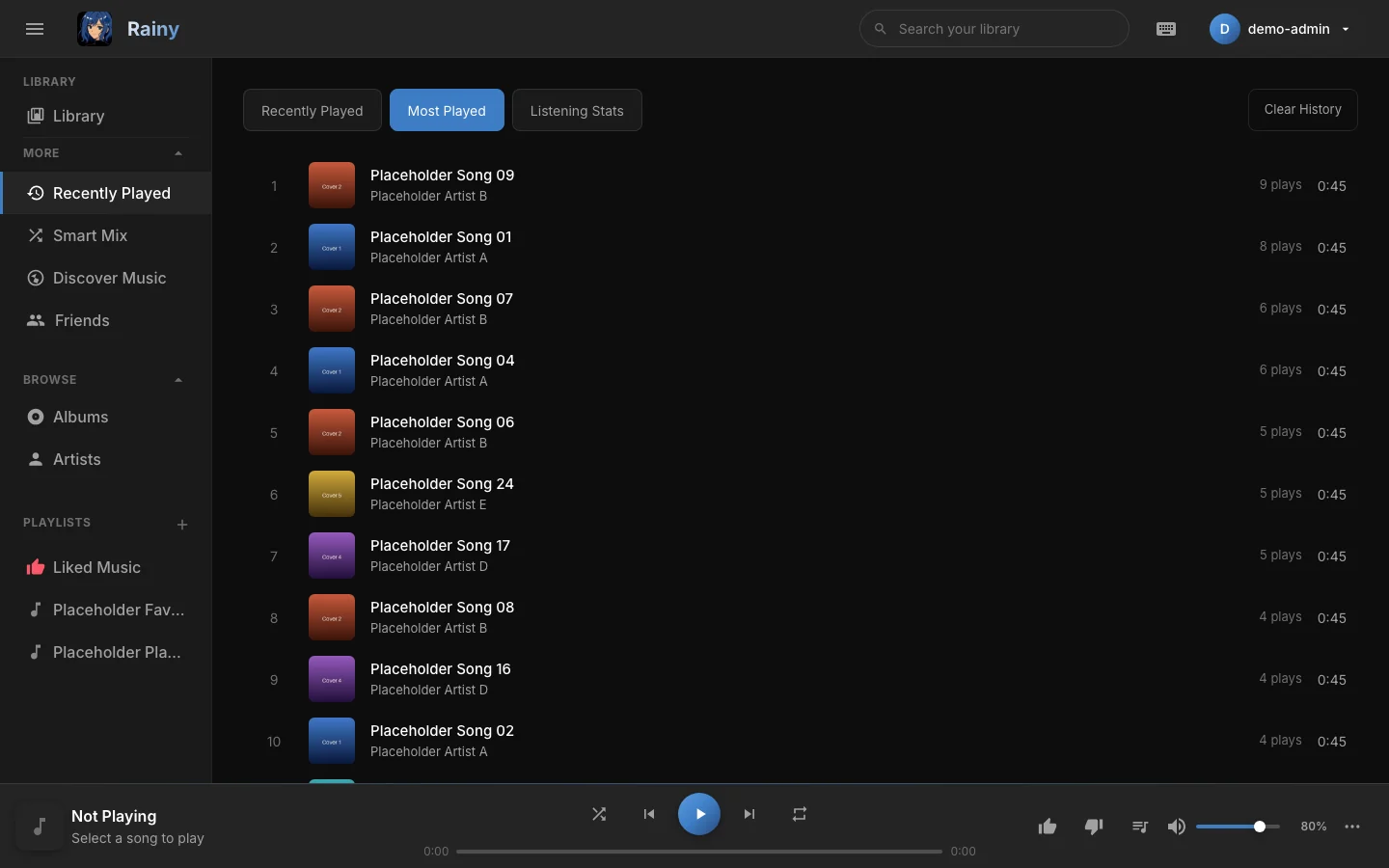
The Most Played tab.
Listening stats
The Listening Stats tab shows four totals:
- Total Plays: the number of plays.
- Unique Songs: how many different songs you have played.
- Active Days: how many different days you have played something.
- Listening Time: the total time of your plays, shown as hours and minutes (days and hours once it grows past a day).
Top Artists and Top Genres list the artists and genres with the most plays. A genre only appears if its songs have one set in their tags.
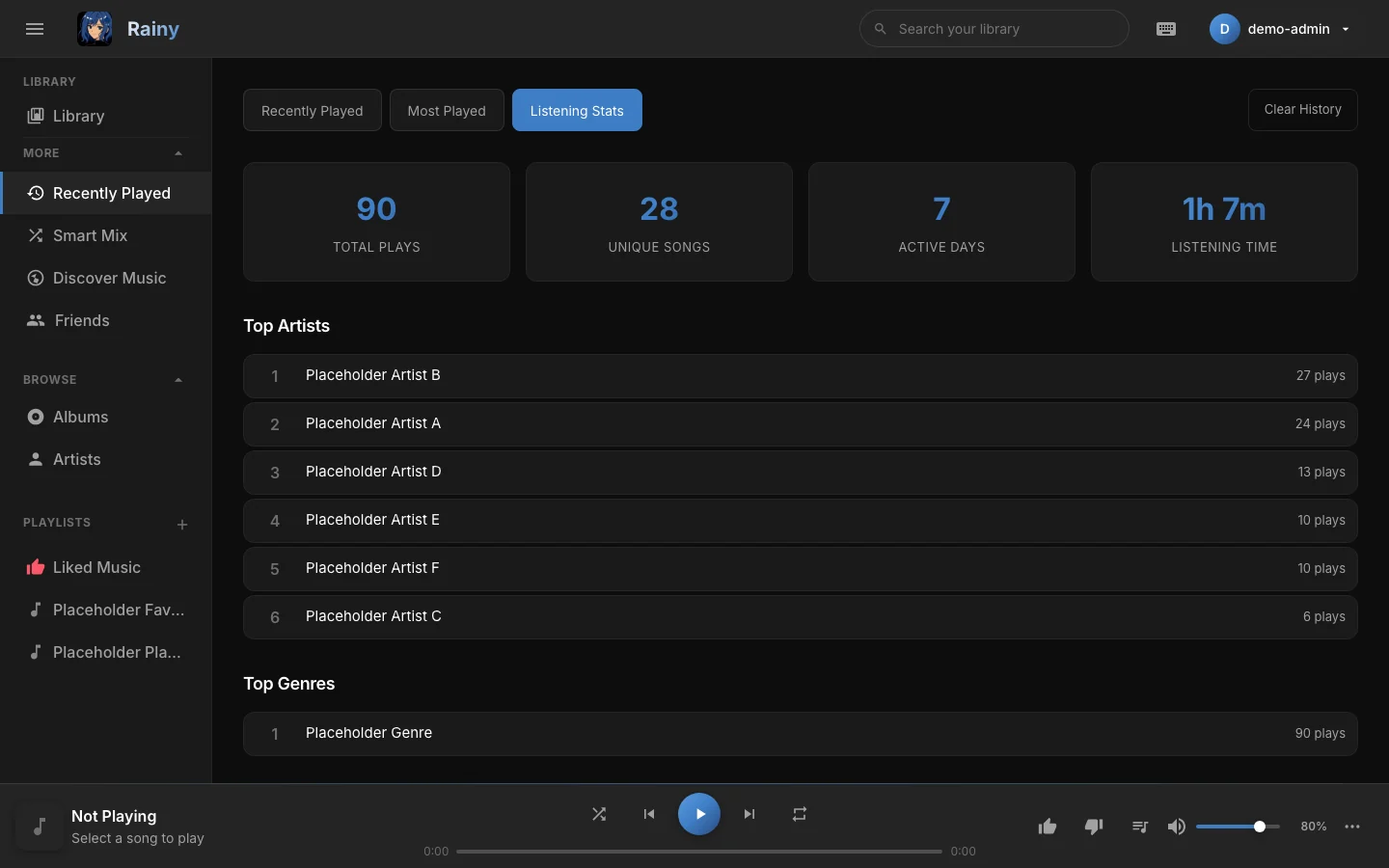
The Listening Stats tab.
Clearing your history
Select Clear History in the Recently Played view and confirm the prompt. This removes all of your play history, so Recently Played, Most Played and every stat start again from zero. Listens that this browser has not sent yet, such as plays made offline, are not removed. They are sent later and appear in your history after the clear.
Clearing history cannot be undone. It does not delete any songs, playlists or likes.
Your history and your browsers
Your history is stored with your account on the server, not in one browser. You may need to reload the Recently Played view on another device to see the latest listens.
Where you left off is different. Rainy remembers the song, position and queue only in the browser where you listened. See Player for more about resuming.
Where history is used
Your counted plays also feed Smart Mix and recommendations. The more you play a kind of music, the more of it you will see there. See Smart mixes for how that works.